Table of Contents
Every business has repetitive tasks. You may need to reply to customers, update a spreadsheet, send follow up messages, manage leads, prepare reports, or publish content. These tasks can take hours when they are completed manually.
But what if these tasks could be handled automatically?
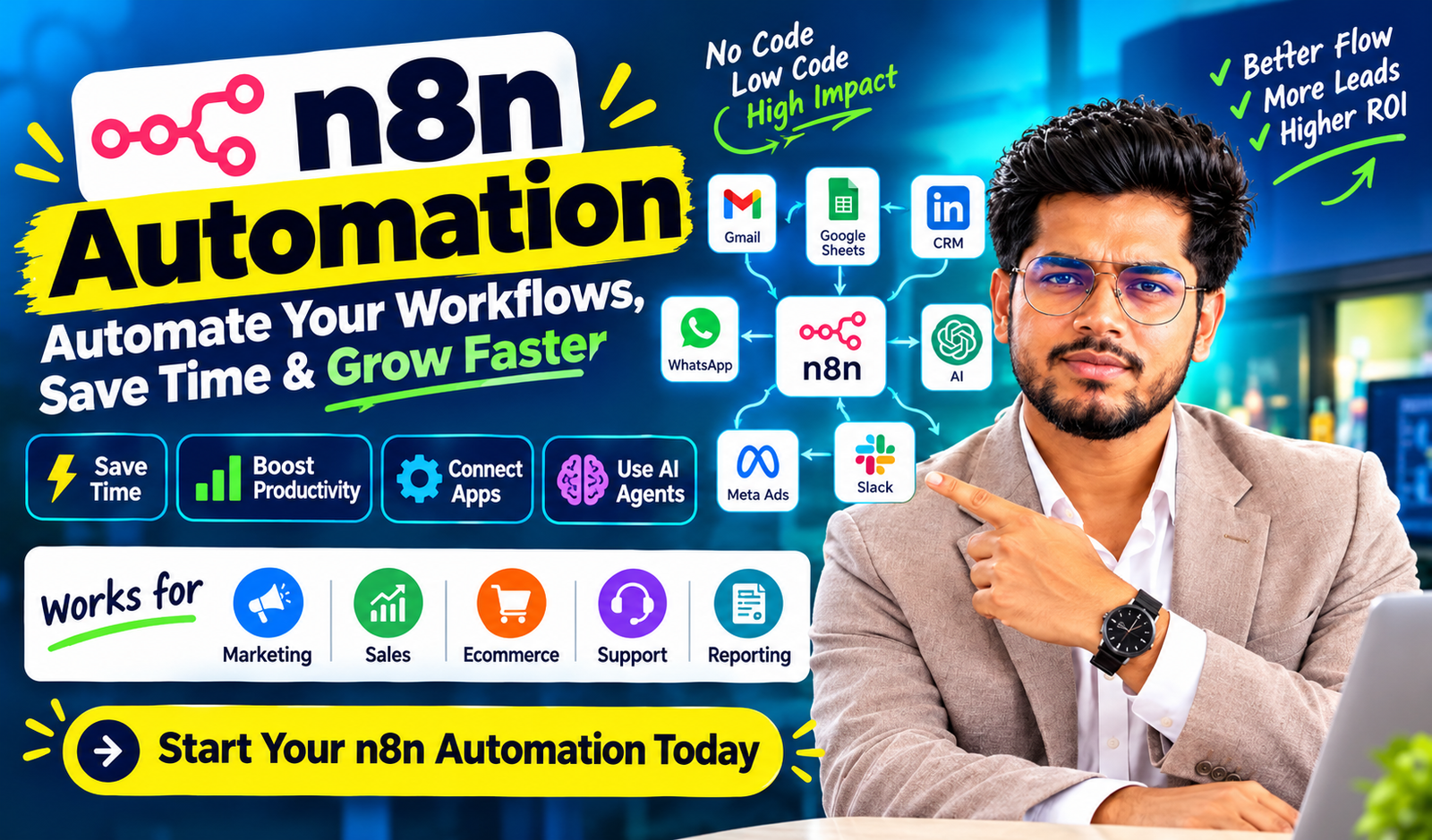
This is where n8n automation becomes useful. It allows you to connect different applications, move information between systems, and create workflows that run when a specific event happens or at a scheduled time.
For example, when a customer fills out a lead form, their details can be saved in Google Sheets, a notification can be sent to your sales team, and a personalized follow up can be prepared. Instead of performing each step manually, you can connect the entire process into one workflow.
I believe that automation should solve real business problems rather than simply add more technology. You do not need to automate everything on your first day. You can begin with one repetitive task, test the result, and gradually build a more efficient system.
In 2026, AI agents and AI powered workflows are also receiving attention. They can help with tasks such as summarizing messages, classifying customer questions, extracting information from documents, and routing requests. n8n provides a visual environment where these AI capabilities can be combined with ordinary business rules and app integrations.
In this guide, I will explain how n8n works, where you can use it, how much it may cost to operate, and how you can start building your own workflows.
1. What Is n8n Automation?
n8n is a workflow automation platform that connects applications, services, APIs, and data sources. It allows you to design a series of connected steps that perform a task automatically.
The platform uses a visual editor. Each step is represented by a node, and the nodes are connected to show how information moves through the workflow.
For example, a simple customer lead workflow may contain these steps:
- Receive a new lead from a form.
- Check whether the required details are available.
- Save the lead in a spreadsheet or CRM.
- Notify the sales team.
- Prepare a follow up message.
- Record the result.
These actions can be connected and tested inside a single workflow.
The main advantage is flexibility. You can use existing integrations, connect APIs, add conditions, and include custom JavaScript or Python when a task requires additional logic. You can also choose between n8n Cloud and self hosting, depending on your technical skills and business requirements.
How Does n8n Work?
A workflow generally includes a trigger, one or more processing steps, and an action.
| Component | Purpose | Example |
|---|---|---|
| Trigger | Starts the workflow | A new form submission |
| Data processing | Organizes incoming information | Clean a phone number |
| Condition | Checks a rule | Is the lead qualified? |
| Integration | Connects another application | Google Sheets |
| Action | Completes a task | Send a notification |
| Error handling | Manages a failed step | Alert the administrator |
The exact components depend on your use case. A small workflow may contain only two nodes, while a complex AI workflow may include several integrations, decision branches, and approval steps.
The important point is that each step has a clear purpose. You should understand what information enters a node, what happens inside it, and what information is passed to the next step.
2. Why Should You Use n8n Automation?
Manual work is not always bad. Some tasks require human judgment, communication, or creativity. However, repeated work can create delays and mistakes when it is performed without a consistent process.
With n8n automation, you can standardize many routine activities and give your team more time for valuable work.
Reduce Repetitive Work
Imagine that you receive 50 leads every day. If every lead needs to be copied into a CRM, assigned to a salesperson, and added to a reporting sheet, several manual steps are repeated.
These steps can be connected in a workflow. Your team can then spend more time speaking with prospects instead of moving data between applications.
Connect Different Business Applications
Your business information may be spread across forms, email, spreadsheets, CRM software, messaging platforms, and project management tools.
An automation workflow can connect these systems when suitable integrations or APIs are available. This reduces the need to copy information from one platform to another.
Improve Response Time
A new customer inquiry can trigger an immediate internal notification. A standard acknowledgment can also be prepared or sent through an approved integration.
However, an automated response does not guarantee a sale. The quality of your offer, lead intent, message, and sales process still matters.
Create Consistent Processes
When the same rules are applied to every eligible record, fewer steps depend on memory. You can also add validation rules to prevent incomplete or incorrect information from moving forward.
Build More Flexible Workflows
Unlike a simple automation that only connects two apps, n8n supports conditional logic, data transformation, API requests, and custom code. This makes it useful for workflows that need more control over how tasks are completed.
3. n8n Automation vs. Manual Work
Before selecting an automation tool, you should identify the real difference between your current process and the process you want to build.
The following table illustrates a hypothetical small business workflow. These figures are examples, not measured industry averages.
| Activity | Manual process | Automated process |
|---|---|---|
| Time to process one lead | 5 minutes | 1 minute of review |
| Leads processed daily | 40 | 40 |
| Daily processing time | 200 minutes | 40 minutes |
| Daily time saved | Not applicable | 160 minutes |
| Monthly time saved over 22 workdays | Not applicable | 58.7 hours |
In this example, manual processing takes 200 minutes per day. The automated process takes 40 minutes of human review, so 160 minutes are saved daily.
The monthly saving is approximately 58.7 hours, assuming the same workload for 22 working days.
Your actual results will depend on the workflow, the quality of incoming data, the amount of human review required, and the time spent maintaining the automation.
You should measure these factors before deciding whether an automation project is financially worthwhile.
4. Best n8n Automation Use Cases for Businesses
n8n can be used across marketing, sales, customer support, ecommerce, administration, and reporting. The best starting point is usually a process that happens frequently and follows clear rules.
4.1 Marketing Automation
Marketing teams often use multiple tools to manage leads, email campaigns, content planning, and performance reports.
You can connect these tools to reduce repeated work. For example, a new campaign lead can be added to a spreadsheet, assigned a campaign source, and forwarded to the appropriate team.
You can also build content workflows that collect approved information, create a draft, send it for review, and store the final version in a content calendar.
For SEO, a workflow can organize keyword research data, track content status, or prepare a weekly report. Search volume, ranking positions, and other SEO metrics should still be collected from reliable data sources rather than invented by an AI model.
4.2 Sales and CRM Automation
Sales automation can help you manage incoming inquiries more consistently.
When a prospect submits a form, the workflow can check required fields, look for an existing record, assign a lead owner, and notify the salesperson.
You can also create rules based on the prospect’s answers. For example, a lead with a suitable budget and a clear requirement may be sent to the sales team for priority review.
However, lead scores should be based on defined business rules and verified information. An AI generated score should not be treated as a guaranteed prediction of whether a customer will purchase.
4.3 WhatsApp Automation
WhatsApp can be an important communication channel for businesses that serve customers through direct conversations.
A properly designed workflow can help route incoming inquiries, prepare responses, send approved notifications, and update CRM records. The available features depend on the WhatsApp integration, provider, account permissions, and API access.
For business messaging, you should follow applicable consent requirements, approved message templates, platform policies, and opt out requests. Avoid unofficial bulk messaging tools that may put customer data or your account at risk.
4.4 Ecommerce Automation
Online stores process orders, payments, shipping updates, customer questions, and stock information.
A workflow can receive an order event, update an internal record, notify the fulfillment team, and prepare a customer update when the relevant information is available.
For payment related workflows, verified payment status should come from the payment provider. You should not mark an order as paid simply because an AI model or an unverified message says that payment was completed.
4.5 Customer Support Automation
Support teams receive many similar questions. An AI workflow can classify incoming messages, summarize the problem, and direct the request to the right department.
For example, a message about a delivery delay can be categorized as an order issue. A billing question can be sent to the finance team.
A human review step should be included when the request involves refunds, account access, sensitive personal information, or decisions that could have a serious impact on the customer.
4.6 Reporting and Data Management
Reporting often involves gathering information from multiple sources and preparing a summary.
You can schedule a workflow to collect available metrics, format the data, calculate changes, and prepare a report for review. The report can then be delivered through an approved email or team communication integration.
This can help reduce reporting delays and make the process more consistent.
5. Practical n8n Automation Examples
The following examples show how workflows can be designed for common business needs.
| Workflow | Trigger | Automated action | Business benefit |
|---|---|---|---|
| Lead management | New form submission | Save and route the lead | Faster lead handling |
| Email organization | New email received | Classify and label the email | Better inbox management |
| SEO reporting | Scheduled time | Collect available metrics | Consistent reports |
| Ecommerce orders | New order event | Update records and notify staff | Fewer manual steps |
| Customer support | New support request | Categorize and route the ticket | Better organization |
| Content planning | New approved topic | Create a draft task | Improved content tracking |
These examples are starting points rather than guaranteed results. Before a workflow is activated, each integration should be tested with real or safely simulated data.
Example: Automating Lead Generation for a Digital Marketing Agency
Suppose I manage digital marketing campaigns and receive leads from a website form.
I want each inquiry to be recorded, checked, and forwarded to the right person. I also want to reduce the chance that a lead is missed.
The workflow can be designed as follows:
Step 1: Receive the lead. A form submission triggers the workflow through an available integration or webhook.
Step 2: Validate the information. The workflow checks whether the name, contact details, and service requirement are present.
Step 3: Check for duplicates. The incoming information is compared with existing records using an appropriate identifier.
Step 4: Save the lead. The record is created or updated in the selected CRM or spreadsheet.
Step 5: Apply qualification rules. The lead can be categorized according to its stated requirement, budget range, or preferred service.
Step 6: Notify the team. A notification is sent to the assigned salesperson.
Step 7: Review the result. The workflow records its outcome and alerts the administrator if a critical step fails.
This design helps create a consistent lead management process. It does not guarantee that every lead will be contacted or converted, so monitoring and human follow up remain important.
6. What Is AI Workflow Automation?
AI workflow automation combines traditional workflow steps with AI models that can understand or generate language, classify information, extract details, and support decisions.
Traditional automation usually follows predefined rules. For example, if a form contains a selected service, the lead is sent to a specific team.
An AI workflow can handle less structured information. It may read a customer message and identify whether the person is asking about pricing, delivery, technical support, or a refund.
The most useful systems combine both approaches. AI can interpret the message, while explicit workflow rules decide what actions are permitted.
Traditional Automation vs. AI Automation
| Feature | Traditional automation | AI powered automation |
|---|---|---|
| Main approach | Fixed rules | AI plus defined rules |
| Input type | Structured data | Structured and unstructured data |
| Example | Copy form data to a sheet | Summarize a customer message |
| Predictability | Usually high for defined inputs | Output can vary |
| Human review | Depends on the task | Important for uncertain or high impact actions |
| Common risk | Incorrect rules or integration errors | Incorrect AI output or unsafe actions |
AI is not always necessary. If a task can be completed reliably with a simple condition, using a traditional workflow may be cheaper and easier to maintain.
7. n8n AI Agents: A Major Automation Topic in 2026
AI agents are receiving attention because they can select from available tools and work through tasks that may require multiple steps. n8n supports AI agent workflows alongside traditional automation.
For example, an internal research agent could receive a question, search an approved knowledge source, summarize relevant information, and prepare an answer for review.
An agent is different from a fixed workflow because some decisions about the next step can be made by the AI model. This flexibility can be helpful, but it also introduces additional uncertainty.
You should not give an AI agent unrestricted access to business systems. Define the tools it can use, limit the information it can access, validate important outputs, and require human approval for sensitive actions.
Where Can AI Agents Help?
- Customer inquiry classification
- Internal document search
- Research summaries
- Support ticket routing
- Drafting sales replies
- Data extraction from documents
- Preparing internal reports
These are potential use cases. Accuracy, speed, and cost depend on the model, workflow design, data quality, and the complexity of the task.
8. How to Build Your First n8n Automation Workflow
If you are a beginner, you do not need to start with a complex AI agent. You can begin with a workflow that moves information between two applications.
Step 1: Choose a Repetitive Task
Write down the task you want to automate. For example, you may want every new form submission to be saved in a spreadsheet.
The task should have a clear starting point and a clear result.
Step 2: Choose Your n8n Setup
You can use n8n Cloud if you prefer a managed service. You can also self host n8n if you want greater control over the infrastructure and are prepared to manage updates, backups, security, and availability.
The correct choice depends on your skills, privacy requirements, expected usage, and budget.
Step 3: Create a Workflow
Open the workflow editor and add a suitable trigger. A trigger may be based on an application event, a schedule, a webhook, or another supported method.
Step 4: Connect Your Applications
Add the nodes needed for your process. Connect your accounts using the supported authentication method, and grant only the permissions required for the workflow.
Step 5: Add Conditions
Use conditions to check whether the data is complete and decide what should happen next.
For example, incomplete leads can be sent to a review list instead of being passed directly to the sales team.
Step 6: Test the Workflow
Run the workflow using test records. Check the input and output of each node and confirm that the expected actions are performed.
Test missing fields, duplicate records, invalid data, and failed connections.
Step 7: Add Error Handling
Decide what should happen if a node fails. Depending on the task, you may retry an operation, notify an administrator, or move the record to a review queue.
Step 8: Activate and Monitor
Activate the workflow only after it has been reviewed. Monitor execution logs, error messages, and business outcomes. Review the workflow whenever connected applications or business rules change.
The purpose is not simply to create an automation. The purpose is to maintain a workflow that continues to work safely and reliably.
9. n8n Automation Tools and Integrations
A workflow is only useful when it can access the required data and applications.
n8n provides integrations for many common services, along with options for custom API connections. Availability and configuration can vary by service and version.
| Integration category | Example tools | Common use |
|---|---|---|
| Spreadsheets | Google Sheets | Store and update records |
| Gmail and supported email services | Notifications and email processing | |
| CRM | Supported CRM applications | Manage leads and customers |
| Communication | Slack and supported messaging services | Team alerts and routing |
| AI models | Supported AI model providers | Summaries and classification |
| Web services | HTTP Request and APIs | Connect custom applications |
You should check the current documentation before choosing a specific integration. Some services require API keys, paid accounts, special permissions, or additional setup.
If an application does not have a ready made node, an API may still provide a connection option. However, API authentication, rate limits, request formats, and service terms must be considered.
10. How Much Does n8n Automation Cost?
The cost of an automation project depends on how it is hosted, how many workflows run, which external services are used, and how much maintenance is required.
n8n offers cloud hosted plans and self hosted options. The official documentation explains the differences between these deployment methods.
| Cost factor | What you may need to pay for | Important consideration |
|---|---|---|
| n8n Cloud | Subscription | Plan limits and included features |
| Self hosting | Server or hosting | Maintenance and security |
| AI models | Model usage | Input, output, and usage limits |
| External APIs | Provider charges | Rate limits and pricing rules |
| Messaging | Provider or platform fees | Message type and destination |
| Development | Setup and testing | Workflow complexity |
| Maintenance | Monitoring and fixes | Changes to apps and requirements |
There is no single price that applies to every automation project. You should verify current prices directly with the providers before estimating your budget.
Is n8n Free?
A self hosted Community edition is available under n8n’s applicable license terms. However, free software does not mean the entire project has zero cost. Server resources, AI usage, external APIs, backups, and maintenance may still require spending.
Cloud subscriptions and certain advanced features may also have separate plan requirements. Review the current licensing and pricing details before using n8n for a commercial project.
Example of a Simple Monthly Budget
The following figures are hypothetical planning estimates in Indian rupees, not current vendor quotes.
| Expense | Example monthly estimate |
|---|---|
| Basic server | ₹500 |
| AI API usage | ₹1,000 |
| Other API services | ₹300 |
| Backup and monitoring | ₹200 |
| Illustrative total | ₹2,000 |
Actual costs may be lower or higher. A workflow that processes large volumes of data or uses expensive AI models may cost substantially more. A cloud subscription may also replace or change some of these expenses.
You should calculate the total cost of ownership before deploying a business critical workflow.
11. How to Calculate the ROI of Automation
Return on investment, or ROI, helps you evaluate whether an automation project is financially worthwhile.
A basic formula is:
ROI = (Financial benefit − Total cost) ÷ Total cost × 100
For example, assume an automation saves 30 hours of work each month. If you value that time at ₹300 per hour, the estimated monthly value of the saved time is ₹9,000.
If the workflow costs ₹3,000 per month to operate and maintain, the estimated net benefit is ₹6,000.
The simple ROI calculation would be:
(₹9,000 − ₹3,000) ÷ ₹3,000 × 100 = 200%
This is an illustrative calculation. It does not include initial development costs, unexpected failures, or other indirect costs. Saved time also does not automatically become cash income. The financial benefit depends on how the released time is used.
You can also measure operational results, such as shorter response times, fewer duplicate records, fewer missed leads, and more consistent reporting.
12. n8n Automation for Digital Marketing Agencies
Digital marketing agencies can use automation to organize repetitive tasks across lead generation, SEO, paid advertising, content production, and client reporting.
For example, you may receive leads from Meta Ads, Google Ads, website forms, and landing pages. Each source may collect information in a different format.
A centralized workflow can normalize these records, attach the correct campaign source, check for duplicates, and send the lead to the relevant salesperson.
For reporting, data can be collected from supported platforms or APIs, organized into a common format, and used to prepare a report for review.
Practical Agency Workflows
Lead management: New leads can be saved, assigned, and tracked in a CRM.
Campaign reporting: Available advertising metrics can be collected and formatted for review.
SEO operations: Keyword lists, content tasks, and reporting schedules can be organized in one process.
Content approval: Drafts can be prepared and sent to a human reviewer before publication.
Client notifications: Internal alerts can be generated when a workflow fails or a campaign reaches a defined condition.
Follow up management: Reminders can be created when a lead has not received a recorded follow up within the expected time.
Automation can improve operational consistency, but it cannot replace campaign strategy, accurate measurement, creative testing, or meaningful client communication.
13. Is n8n Automation Suitable for Beginners?
Yes, beginners can learn the basics, especially when they start with simple workflows and use the visual editor.
However, some concepts take time to understand. You may need to learn about APIs, JSON data, authentication, webhooks, expressions, and error handling as your workflows become more advanced.
A sensible learning path is to begin with a two node workflow, then add data processing, conditions, and another application. Once you understand the basics, you can explore AI integrations and custom code.
You do not need to become an expert programmer before building useful workflows. At the same time, you should not assume that every integration will work without technical setup.
A 30 Day Learning Plan
| Period | Learning goal | Practice task |
|---|---|---|
| Days 1–7 | Learn the interface and nodes | Build a basic scheduled workflow |
| Days 8–14 | Learn data and conditions | Filter and organize form entries |
| Days 15–21 | Learn APIs and webhooks | Connect an external service |
| Days 22–30 | Learn AI and error handling | Build a controlled AI assisted workflow |
This schedule is a suggested learning plan, not a guarantee of mastery. Your progress will depend on the time you spend practicing and the complexity of your projects.
14. Common Mistakes to Avoid in n8n Automation
A workflow can appear successful during a test and still fail in daily use. To reduce this risk, you should plan for common problems before activation.
Automating a Bad Process
If your existing process is confusing, automating it may only make the confusion happen faster. First, identify unnecessary steps and define the correct process.
Ignoring API Limits
External services may limit the number of requests that can be made in a given period. A workflow should handle rate limits, delays, and temporary service failures.
Skipping Error Notifications
If a workflow stops silently, important leads or records may be missed. Configure appropriate failure alerts and review execution logs.
Giving Too Much Access
Use limited permissions and secure credential storage. Avoid placing passwords, API keys, or sensitive customer information directly into workflow notes or publicly shared examples.
Trusting Every AI Output
AI models can generate incorrect answers or misunderstand input. Validate important outputs, use rules to restrict actions, and require human approval when necessary.
Forgetting Maintenance
Applications change, credentials expire, and business requirements evolve. Workflows should be reviewed regularly and tested after important changes.
15. Security, Privacy, and Reliability Best Practices
Business automation often involves customer information, internal records, and access to third party applications. Security should be considered during design, not added only after a problem occurs.
You should apply the principle of least privilege, which means giving each workflow only the permissions it needs.
Keep credentials secure, restrict access to workflow editors, use backups, and update your hosting environment when required. If you self host n8n, you are responsible for important infrastructure and security tasks that would otherwise be handled by a managed provider.
You should also consider how data is sent to AI providers. Avoid sharing unnecessary personal or confidential information, and check the terms and data handling policies of every connected service.
For AI agent workflows, define the actions that the agent can take. High impact operations, such as issuing refunds, deleting records, sending sensitive communications, or changing access permissions, should have suitable safeguards and approval steps.
Finally, maintain logs that help you understand what happened without unnecessarily exposing sensitive data. A good workflow should be understandable, testable, and recoverable when something goes wrong.
16. The Future of n8n Automation
The future of workflow automation is likely to involve closer integration between conventional rules, APIs, and AI systems.
Traditional workflows remain useful for predictable tasks. AI can add value when information is unstructured or when a request needs to be interpreted before an action is selected.
AI agents can extend these workflows by choosing among approved tools and handling multi step tasks. Yet, greater flexibility also requires stronger monitoring, clear permissions, and careful testing.
For businesses, the goal should not be to use AI everywhere. It should be to choose the simplest reliable method for each task.
I recommend starting with a measurable business problem. If a workflow saves time, reduces errors, or improves customer response, it may be worth expanding. If it creates more maintenance than value, the process should be redesigned.
The most useful automation systems will be those that combine clear business rules, reliable integrations, appropriate AI capabilities, and human oversight.
Conclusion
Conversion matters: n8n automation provides a flexible way to connect applications, organize data, and reduce repetitive work. It can support marketing, sales, customer service, ecommerce, reporting, and many other business processes.
You can start with a simple workflow and expand it as your requirements grow. AI integrations and agents can add more capabilities, but they should be used with clear boundaries and appropriate human review.
If you are learning automation for your career or business, focus on solving real problems instead of building complex workflows just to experiment with new tools.
Start small, test every step, measure the results, and improve the process over time. That is how useful automation is built.
Frequently Asked Questions About n8n Automation
1. What is n8n automation used for?
n8n automation is used to connect applications and perform repeated tasks automatically. Common examples include lead management, email processing, data synchronization, reporting, and AI assisted customer support.
2. Is n8n automation free?
A self hosted Community edition is available under the applicable license terms. However, hosting, external APIs, AI services, and maintenance may involve costs. Cloud plans and advanced features may have separate charges.
3. Is n8n better than Zapier?
Neither platform is automatically better for every business. n8n can be attractive when you need flexible logic, custom API connections, and self hosting. Zapier may be preferable when you want a straightforward managed automation experience. Compare the integrations, complexity, pricing, and maintenance requirements for your own use case.
4. Can I use n8n without coding?
Yes. Many workflows can be built using the visual editor and available nodes. However, advanced projects may require JavaScript, Python, API knowledge, or an understanding of data formats.
5. Can n8n automate WhatsApp messages?
It can support WhatsApp related workflows through suitable integrations or API connections. Availability depends on your provider, permissions, and setup. You must follow applicable messaging rules, consent requirements, and opt out requests.
6. Can n8n automate digital marketing?
Yes. It can help manage leads, organize SEO data, prepare campaign reports, route inquiries, and coordinate content approval. Marketing strategy and final performance decisions still require human judgment.
7. What is the difference between n8n and an AI agent?
A standard workflow generally follows steps and conditions defined by the builder. An AI agent can use an AI model to choose among available tools or actions within its configured boundaries. An agent can be used as one part of a larger workflow.
8. Can n8n connect to Google Sheets?
Yes, through its supported Google Sheets integration and authentication setup. It can be used to add, read, update, or organize spreadsheet records according to the supported operations and your account permissions.
9. Is n8n automation safe for business use?
It can be used for business workflows when it is configured securely and maintained properly. You should protect credentials, limit permissions, validate data, monitor failures, and apply suitable human approval for sensitive actions.
10. Can I make money by learning n8n automation?
You may be able to offer workflow setup, API integration, CRM automation, reporting, or AI workflow development services. Your earning potential will depend on your technical skills, the business value you deliver, your ability to maintain solutions, and the demand for your services. Income is not guaranteed.
11. How long does it take to learn n8n?
You may learn the basics in a few days of regular practice, while more advanced API and AI workflows can take weeks or months to understand well. The time required depends on your previous experience and the complexity of your goals.
12. What is the best first n8n project for a beginner?
A useful first project is to capture a form submission, validate the data, save it to Google Sheets, and send a notification. It teaches triggers, integrations, data mapping, testing, and error handling without requiring a complex AI system.
13. Can n8n replace human employees?
It can automate certain repetitive tasks, but it does not replace all human work. Business judgment, relationship building, exception handling, creative strategy, and accountability remain important.
14. What are the trending n8n automation topics in 2026?
Topics receiving attention include AI agents, AI assisted workflow building, retrieval augmented generation (RAG), API integrations, human approval in AI workflows, CRM automation, and self hosted AI systems. Their usefulness depends on the specific business problem rather than popularity alone.
15. Should I choose n8n Cloud or self hosting?
Choose n8n Cloud if you prefer managed infrastructure and less server maintenance. Consider self hosting if you need more control over your environment and can manage deployment, security, backups, and updates. Review the current plans, license terms, and technical requirements before deciding.